Package options
Recent review
What to expect
Location
Reviews
FAQs


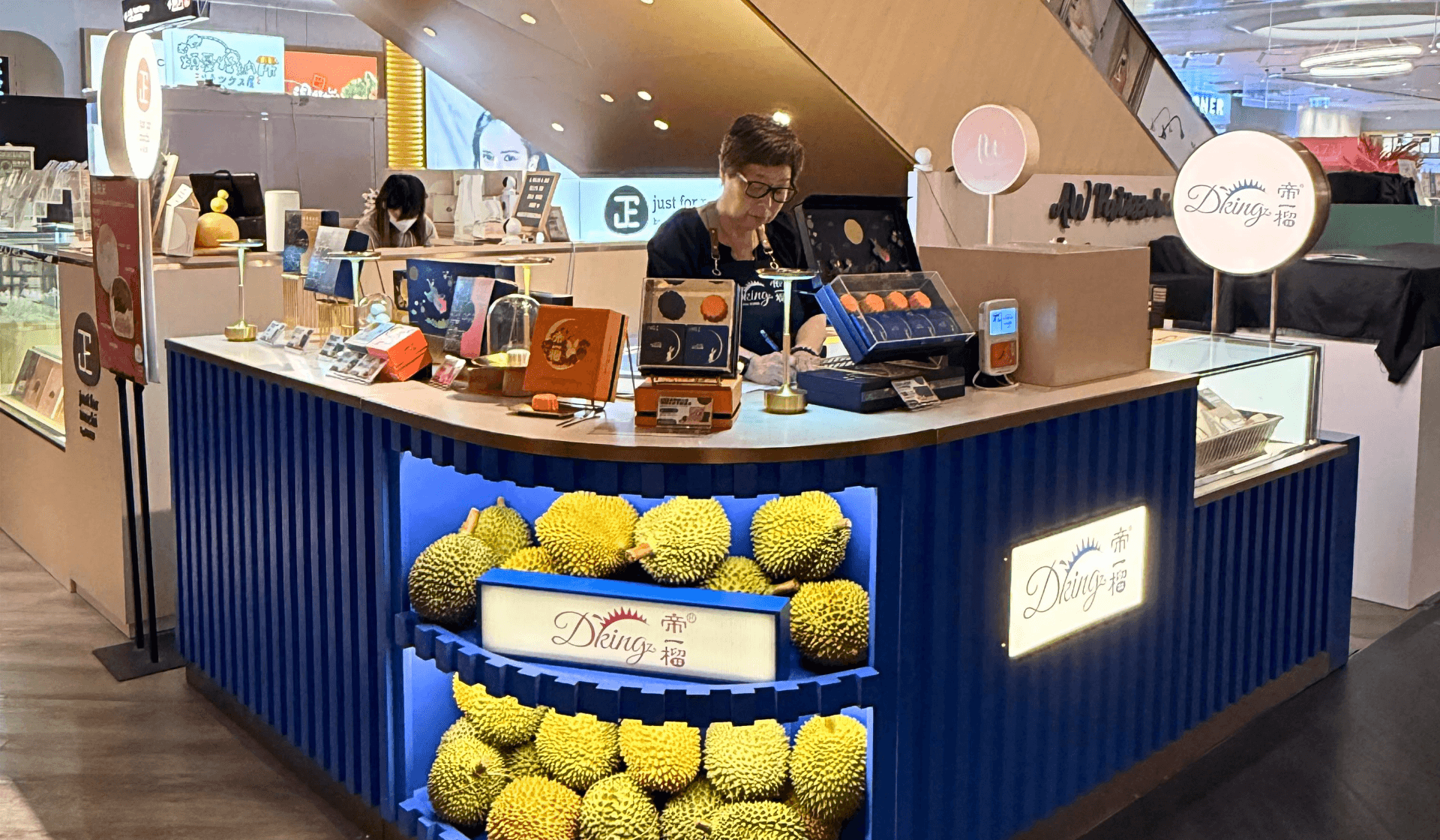

$5 搶・流心軟糯 D24榴槤冰皮月餅|尖沙咀 K11 Art Mall 專櫃|馬來西亞榴槤|純榴槤果蓉手工製作|榴槤冰皮月餅|專櫃自取(自備保溫袋)|限量50件

Tsim Sha Tsui
 No cancellation
 Show mobile or printed voucher
 Open Date Ticket
HK$54
FromHK$5

Sold Out!

Complete this activity to earn TapCoin!
Learn more
Get HK$15 off on your first App booking over HK$300 with the discount code APP15!
$5 限量券 帝一榴 Highlight !
💰 $5 搶 馬來西亞D24榴槤冰皮月餅 1 件(原價 $54)
🥮 純榴槤果蓉入餡,冰涼軟糯、爆漿流心
📍 尖沙咀 K11 Art Mall 地庫 B2 專櫃換領
⏰ 全港限量 50 份,售完即止
▼往下閱讀更多優惠詳情▼
Package options
Select package options
 Clear All
方案 
Purchase with
Quantity  Purchase limit: 1
Purchase limit: 1 0
Purchase withHK$0
Quantity1
HK$54FromHK$5

Complete this activity to earn TapCoin! NaN TapCoinis equivalent to HK$NaN
NaN TapCoinis equivalent to HK$NaNPackage Description
Redemption Period
undefined Date undefined-undefined Date undefined
View all
What to expect
榴槤控每年最期待嘅,肯定係呢個極邪惡嘅流心滋味。人氣品牌帝一榴同 HolidaySmart 玩驚喜快閃 —— 限時推出超抵優惠,$5 就換到D24榴槤冰皮月餅 1 件!🥮
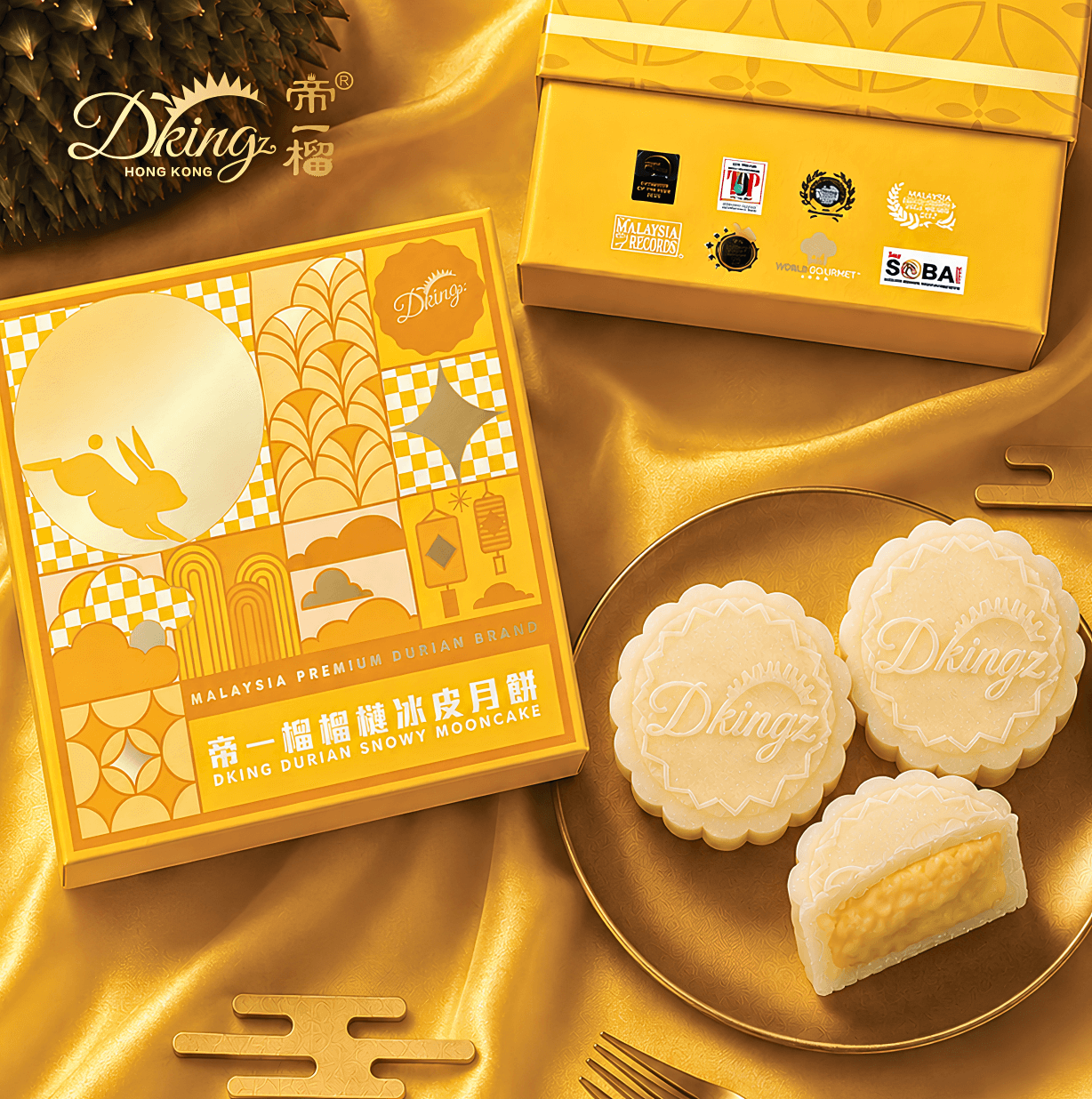
月餅堅持以純榴槤果蓉手工製作,外層冰皮薄糯 Q 彈,一咬開濃郁綿密嘅榴槤餡即時喺嘴裏爆開,滿口醇厚果香久久不散。今次專櫃設於尖沙咀 K11 Art Mall,地點極之方便,出港鐵站行幾步就到!✨
全港限量 50 份,售完即止 —— 2026年9月3日起至9月20日內可以換領!獨立包裝月餅 1 個(不連紙盒),記得自備保溫袋,快啲上 TapNow 撳定張 $5 券,過嚟尖沙咀自取!🤩
商戶資料:
帝一榴
地址:尖沙咀河內道18號 K11 Art Mall 地庫二層 B2 帝一榴專櫃
優惠券換領日期:2026年9月3日 至 2026年9月20日
營業時間:星期一至日 12:00 - 20:00
電話:9058 3383
條款及細則:
• 限量券有效期由2026年9月3日 至 2026年9月20日
• 適用於星期一至日之商戶營業時間
• 此券須於有效日期前使用,逾期作廢,恕不補發
• 訂單一經確認,恕不接受取消或退款
• 每人每次惠顧限兌換 1 張優惠券,不可分次或分開兌換
• 本活動商品每人限購 1 件
• 本平台所提供之店家營業時間僅供參考,實際狀況請逕洽店家確認
• 此優惠券僅適用於【帝一榴】指定專櫃現場兌換,不設送貨服務
• 由於冰皮月餅必須冷凍保存,請顧客自備保溫袋及冰袋提取(不連紙盒)
• 此優惠不可與商戶之其他優惠或會員折扣同時使用
• 如有任何爭議,【帝一榴】 及 【TapNow】 保留最終決定權
Location
Unique Mind Limited
Dking Counter, Kiosk B2, B2/F, K11 Art Mall, 18 Hanoi Road, Tsim Sha Tsui 90583383
FAQs
Do I need to sign up for a TapNow account before I can book?
Yes, you'll need to create an account first. You can sign up using your email, phone number or a third-party account like Facebook or Google.
How can I book an activity?
Search activities on TapNow, select what you want to book and continue to the payment page. Complete your payment and start your adventure!
Do I have to use my voucher at a particular time/date?
For most activities on TapNow, your voucher is only valid for the selected booking time/date.
How will I know if my booking is confirmed?
After your booking is confirmed, we'll send you an email that confirms your booking, and with the voucher attached.
To view your bookings, go to the Bookings page on TapNow.
I've made a booking but haven't received a booking confirmation email. What should I do?
Please check your spam folder in your email inbox first.
If you still cannot find the booking confirmation email, please contact our Customer Service Team.
Where can I find my bookings?
TapNow Website
You can click the account button in the upper right corner of the TapNow website, and then select "My Orders" to view the order.
TapNow App
You can click the order button on the main interface of the TapNow application, and then view the order.
What payment methods can I use?
You can pay by credit/debit card (VISA, MasterCard, Union Pay and American Express), Apple Pay, Google Pay, Alipay HK, Tap&Go.
How come my payment failed?
First, refresh the booking page and try to book again.
You must complete the payment within 30 minutes after pressing 'Pay', or payment will be cancelled. However, you can create a new booking.
Due to security issues, some credit cards will use the 3DS verification function. If the verification fails, the booking will be cancelled.
If your payment card is rejected, please try other payment methods. TapNow accepts VISA, MasterCard, American Express, Apple Pay, Google Pay and others (for HKD only).
Still experiencing problems? Please contact our Customer Service Team.
Where can I find the directions to my booked activity?
Before booking
You can find the meeting point details of the activity on the product's page.
After booking
You can find the meeting point details on your voucher that can be found in the Bookings page on TapNow or in your email inbox.
If you're still unsure, feel free to directly contact the supplier of your activity to find out more details (their contact info is on your voucher).
What should I do if I cannot contact the service provider?
Please contact TapNow Customer Service Team.
HK$54FromHK$5